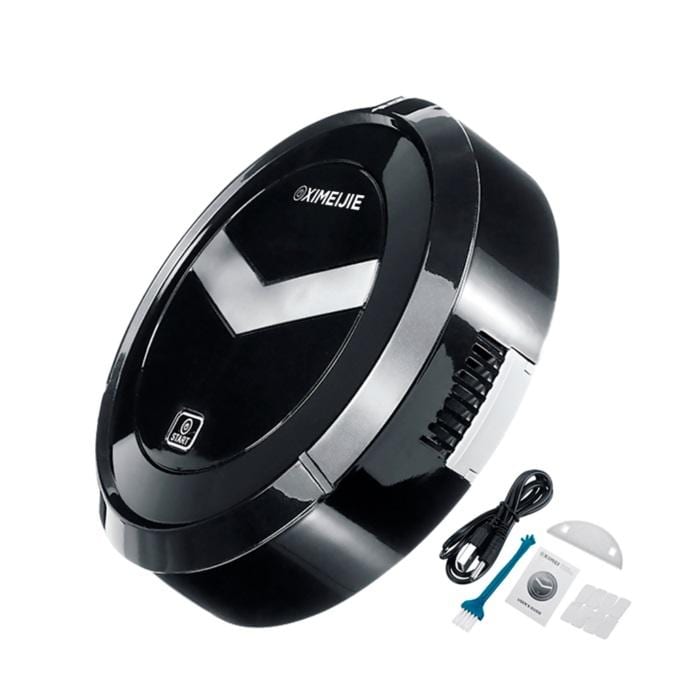
USB Mini Robot vacuum cleaner
Automatic cleaning for home and office!
With the intelligent anti-collision ASD sensor, this robot vacuum cleaner can recognize the barrier and avoid collision
The noise is less than 50dB, it will give you a quiet room. Suitable for cement, ceramic tiles, wooden floors, etc. Not for carpets
Material: ABS + electronic component
Function: Vacuum
Voltage: DC 5V
Battery capacity: 1200mAh
Power: USB charging
Charging time: about 2.5 hours.
Working time: approximate 30minutes
Dimensions: 230x230x62 mm.
Operation mode:
1. Switching mode: press the main switch and the machine enters the operation mode lamps to light. Press the main switch again and turn off the sweeping machine.
2. Charging mode: connect the micro USB head of the USB cable to the matte charging port and connect the USB head to the charging converter.
3. Charging Status: Charging indicator light is on, indicating that charging is complete, and off indicates that charging is complete and that the total charging time is approximately 2-3 hours.
Cleaning the dust box:
1. The dust box is on the bottom of the car, pull the plug to go back outside.
2. Open the dust box, wipe off the dirt inside, wipe off the residue with a dry, damp cloth.
3. Insert the power box back into the machine.
Warning:
1. For safety reasons, this product should be administered by people with physical and mental health and over 14 years old.
2. This product is not waterproof, do not allow the product to come into contact with liquids and deeper water away from the fire source.
3. It is prohibited to use it in suspended environments, such as ceilings, stairs, duplex houses, etc.
4. When the product is functional, take care of children and pets to prevent the appliance from falling or falling on it.
5. This product adjusts and changes direction when encountering obstacles.
6. Place the battery in the indicated position.
7. Stop charging when the red light goes out, avoid overcharging, affect life and accident.
8. If the product has abnormal phenomena such as smell, smoke, abnormal noise, high temperature contact, please stop using it immediately.