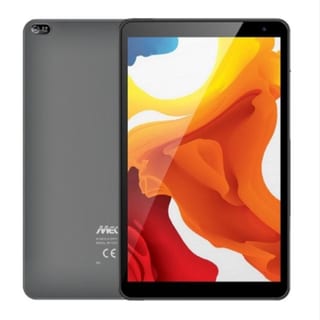
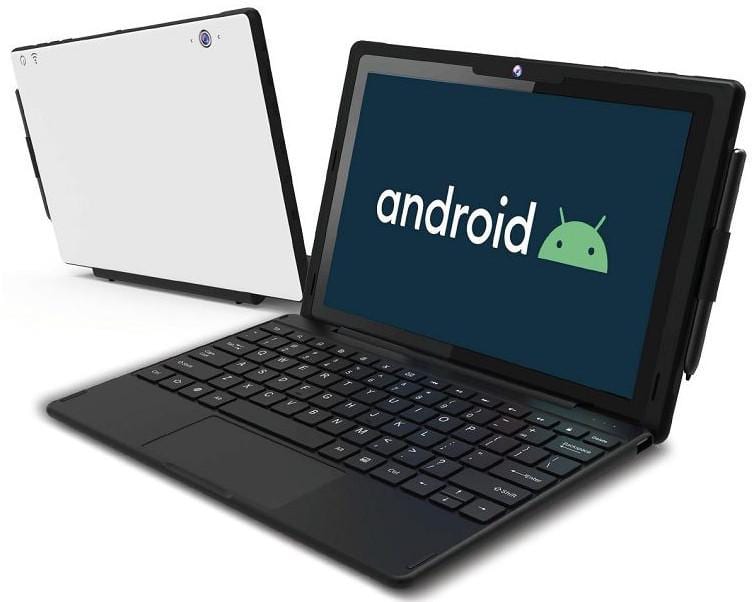
OPEN BOX - MECER XPRESS EXECUTIVE 10.1" 64GB LTE RUGGED2-IN-1 TABLET
DX10-66-LTE | With Keyboard & Stylus Included
Tech Specs:
Design
- IP54 Ruggedized Design, Dust and Water Resistance, 70cm Drop Proof (ML-STD-810F)
Colour
- Black with White Top
Processor
- MediaTek MTK 8766 Quad Core CPU (2.0GHz)
Memory
- 4GB DDR3
Storage
- 64GB NAND Flash Memory (eMMC)
Display
- 10.1" Enhanced Glass HD 1280 x 800 Capacitive 10 Point Touch IPS TFT Panel with Anti-Scratch Screen Protector Film
Operating System
- Android 11
Wireless LAN
- Embedded 802.11ac Dual Band (2.4GHz / 5.0GHz) Wireless LAN
Bluetooth
- Bluetooth 5.0
Camera
- Built-in 2.0M Pixel Front Camera and 5.0M Pixel Rear Camera
SD Card Reader
- Built-in Micro SD Card Reader (up to 128GB SD Card). (SD Card need to be purchased separately)
Sound, Speakers and Microphone
Sound
- Built in Sound, Speakers (2 x 1W), and Microphone
Ports
- 1 x USB Type C
- 1 x Micro USB 2.0
Battery
- Li-Polymer Battery (8000mAh, 6 hours operating) & Charger
Keyboard
- Hard Keyboard Docking with TouchPad
Stylus
- Passive Stylus included
Dimensions
- 267 x 179 x 11mm
Weight
- 770g
HOW TO ENABLE THE KEYBOARD DOCKING STATION
Once the device has been setup follow the below steps to enable the keyboard docking station.
Access the settings menu
Select the USB Switch option
Select the option OTG OPEN
Once the USB Switch has been set to OTG Open the keyboard docking station will function.