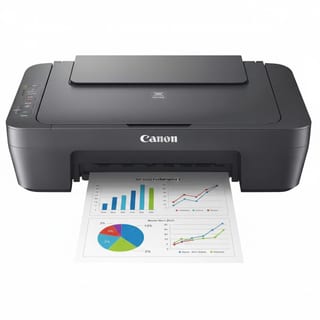
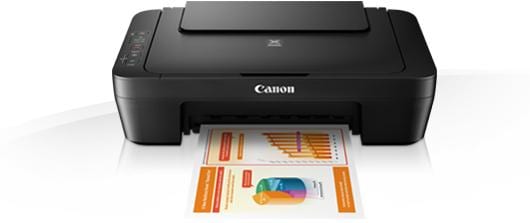
PIXMA MG2540S 3-in-1 Multi-function Printer
The perfect everyday All-In-One for printing, scanning and copying.
From text-heavy documents to family photos, the compact Canon PIXMA MG2540SÆs print engine is built for quality and ease-of-use.
Benefits
Copy, print and scan with an affordable All-In-One
Fast printing of documents and photos
High quality prints
Be inspired to print with CREATIVE PARK PREMIUM
Print more pages for your money with XL ink options
Take a more detailed look into Canon PIXMA MG2540S
Print, scan, copy û home printing made easy
The ideal home All-In-One, letting you print, scan and copy documents and photos at speed without compromising on quality.
Simple to use, the Canon PIXMA MG2540S is a stylish, compact and desk-friendly device with powerful features for every home user.
Affordable device, premium print quality
The Canon PIXMA MG2540S offers incredible value for money: an affordable home printer that
produces superior quality documents and photos. FINE Cartridge technology means deep blacks, vivid colours and a stunning level of detail.
Up to 30% lower cost per page
Using the optional high-capacity Canon XL ink cartridges, you can save as much as 30% on the cost per page compared to their standard equivalents. Get more pages per cartridge and go longer between cartridge replacements; the Canon PIXMA MG2540S wonÆt cost the earth to run.
Be creative
Easily organise and print your photos with the face-recognition features of My Image Garden app, while CREATIVE PARK PREMIUM opens a world of creative possibilities with its selection of designs from professional artists, all available for you to use as postcards, calendars, birthday cards and much more.
Energy saving built-in
Use less energy with Auto Power On/Off.
Hit print on your laptop and watch as the printer immediately emerges from its power-saving mode, ready to print without even switching it on.